How to Request a Piso WiFi Vendo Machine Permit (2026)
Register and request a Piso WiFi vendo machine in 2026: NTC VAS permit steps, business permits, machine options, and coin slot calibration.
Open the portal
Open 10.0.0.1
A Piso WiFi vendo machine is a coin-operated WiFi hotspot. You plug it into your home internet line, place it where there is foot traffic, and users pay coins for timed internet access. It is one of the most practical small-business opportunities in the Philippines today, especially where mobile data is costly and public WiFi is limited.
This guide covers everything: what a vendo machine is, which permits you need, the NTC VAS registration process, the laws involved, machine options for 2026, and how to calibrate the coin slot.
What Is a Piso WiFi Vendo Machine?
A Piso WiFi vendo system connects to your internet line and decides who can use it and for how many minutes. Users insert coins to get access. The operator controls every rule: time per coin, speed limits, pricing, and session management.
The machine is hardware plus software. The hardware is the physical box — a controller board, a coin slot, a router, and an enclosure. The software is the firmware on a single-board computer inside, which runs the portal users see at 10.0.0.1.
How the process works:
- The user connects to the Piso WiFi network on their phone or laptop
- The captive portal loads at
10.0.0.1 - They insert coins into the slot
- The portal credits their session and the timer starts
- When time runs out, the portal reappears and they can add more coins
Machines are most common in sari-sari stores, waiting sheds, transport terminals, market stalls, and covered courts — anywhere people sit and wait. To manage one, you log in at the admin panel; our 10.0.0.1 admin login guide covers the operator dashboard in detail.
Who Needs an NTC VAS Certificate of Registration
Not every operator needs NTC registration. The level of compliance depends on the scale of your operation.
Single-machine operators running one unit at a fixed location typically handle only standard local permits at the barangay and city levels. In practice, NTC does not actively pursue solo operators at this scale. Once you cross into commercial territory — multiple machines, multiple locations, or charging the public at scale across municipalities — NTC's classification applies clearly. Under NTC Memorandum Order No. 005-06-2025, no entity may provide VAS without a valid COR.
| Operator Type | NTC VAS Required | Local Permits Required |
|---|---|---|
| 1 machine, 1 barangay, personal use | Generally not required | Yes |
| 1 machine, commercial public deployment | Borderline — call the NTC Regulation Branch | Yes |
| Multiple machines, 1+ municipalities | Required | Yes, per location |
| Operating as a registered business entity | Required | Yes |
When in doubt, call the NTC Regulation Branch before investing in multiple units. They assess applications case by case.
Business Permits Every Operator Needs
Regardless of whether NTC registration applies, these permits are required for any Piso WiFi vendo business — even single-machine operators.
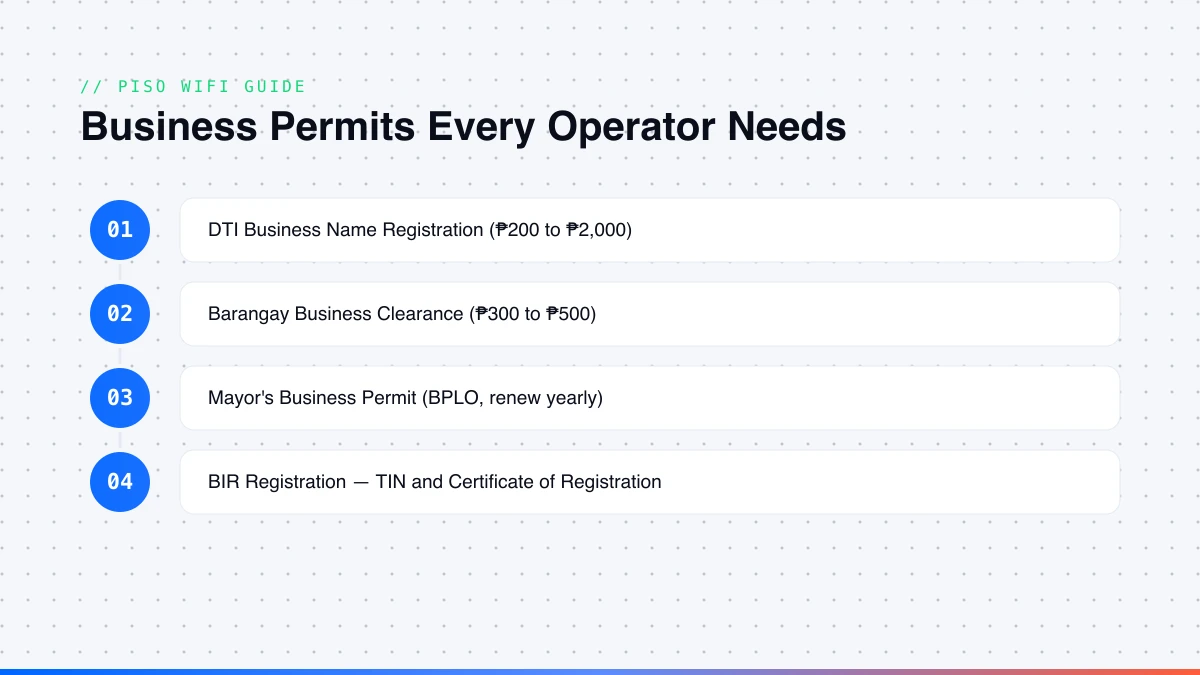
- DTI Business Name Registration — file at DTI or online; fee
₱200to₱2,000by coverage. Corporations and partnerships register with the SEC instead. Required before a mayor's permit. - Barangay Business Clearance — apply where the machine is placed;
₱300to₱500; one per barangay. Bring a valid ID, proof of address, and your DTI certificate. - Mayor's Business Permit — file at the BPLO; bring your DTI certificate, barangay clearance, and lease (if rented). Fees vary by LGU; renew yearly between January 1 and 20.
- BIR Registration — secure a TIN and Certificate of Registration. Even single-peso transactions require receipts. File percentage tax (non-VAT) or VAT returns if annual gross exceeds
₱3,000,000. Renew with Form 0605 by January 31.
Documents Required for the NTC VAS COR
For operators who need the COR, all applications are filed through the Regulation Branch at the NTC Central Office under Memorandum Order No. 005-06-2025. Walk-ins without complete documents are not accepted.
Required documents include the accomplished NTC Application Form No. NTC-1-20 (all caps), your DTI or SEC registration, Articles of Incorporation/Partnership if applicable, a system/network diagram of your setup, a description of services, proof of your ISP subscription, a complete list of machine locations, a written non-discrimination undertaking, a valid government ID, and a notarized SPA if someone else files for you.
| Fee Type | Amount |
|---|---|
| Filing fee | ₱300 |
| Annual registration fee (first 5 services) | ₱6,000 |
| Each additional service beyond 5 | ₱1,000 per service |
| Late renewal (within 6 months of expiry) | 50% of the registration fee |
| Late renewal (after 6 months of expiry) | 100% of the registration fee |
The COR is valid for up to five years (you may request a shorter validity of at least one year).
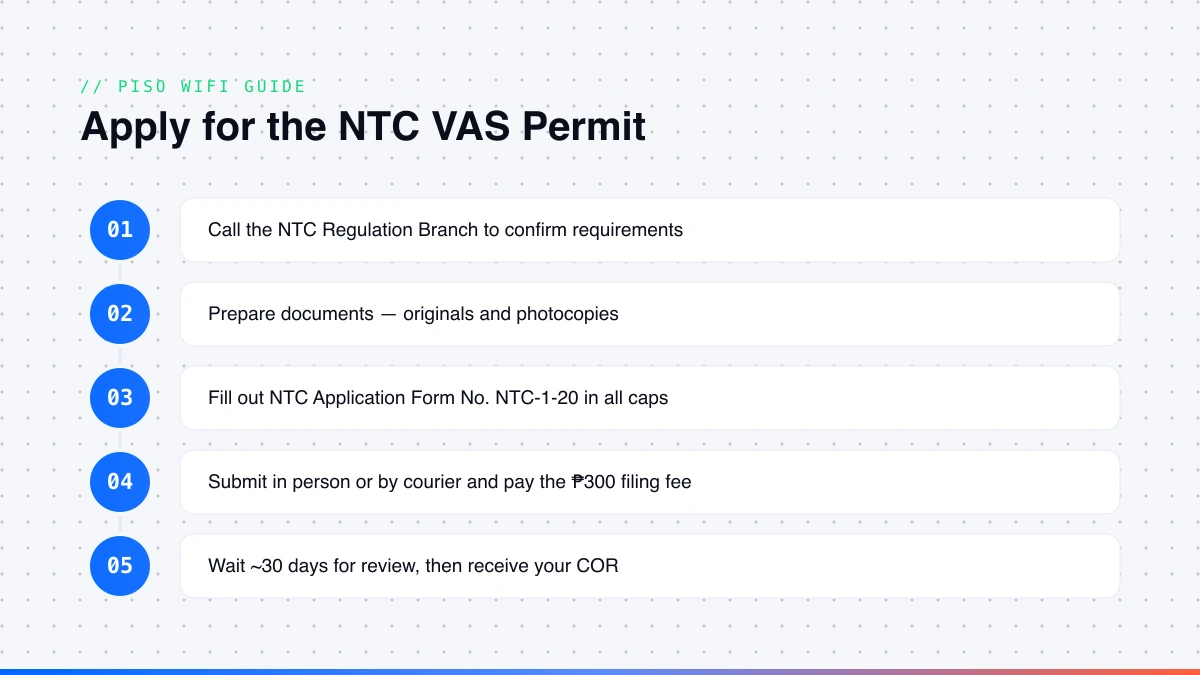
How to Apply for the NTC VAS Permit: Step by Step
- Call before you visit. Contact the NTC Regulation Branch to confirm the current document checklist.
- Prepare all documents — originals and photocopies. Incomplete submissions are rejected at the counter.
- Fill out NTC Application Form No. NTC-1-20 in all caps; check the VAS provider/reseller boxes.
- Submit in person or by courier to the NTC Building, Senator Miriam Defensor Santiago Avenue, East Triangle, Diliman, Quezon City.
- Pay the
₱300filing fee at the cashier and keep your receipt. - Wait for review — typically 30 days; NTC may inspect your equipment.
- Receive your COR, valid up to five years. Notify NTC at least seven days before any rate change.
Data Privacy Obligations for Piso WiFi Operators
The captive portal at 10.0.0.1 collects user data by default — MAC addresses, device identifiers, session timestamps, and sometimes login details. Under the Data Privacy Act of 2012 (RA 10173), collecting personal data makes you a personal information controller.
What you are required to do: post a privacy notice on the portal and at the machine; retain user log data for the period stated in your notice (six months is the standard benchmark under RA 10175, the Cybercrime Prevention Act); keep logs available for law enforcement with a valid warrant; and, at larger scale, appoint a Data Protection Officer and register with the National Privacy Commission. Posting a simple privacy notice on your portal and keeping access logs is a practical minimum that reduces legal exposure.
What Laws Cover Piso WiFi Operations
Piso WiFi sits at the intersection of telecommunications, local government, and data privacy law:
- RA 7925 (Public Telecommunications Policy Act, 1995) — classifies internet-access providers as PTEs or VAS providers; Piso WiFi falls under VAS.
- NTC Memorandum Circular No. 02-05-2008 — governs VAS registration and operations.
- NTC Memorandum Order No. 005-06-2025 — the stricter 2025 rule: no VAS without a valid COR.
- RA 10173 (Data Privacy Act, 2012) — applies because portals collect user data.
- RA 10175 (Cybercrime Prevention Act, 2012) — relevant for log retention (up to six months).
What Happens If You Operate Without Permits
LGU inspectors can padlock a machine without a valid mayor's permit, with fines typically ₱500 to ₱5,000 per violation. NTC fines range from ₱5,000 to ₱200,000 per offense and it can seize equipment. BIR non-registration can lead to tax-evasion charges with 25–50% surcharges. Data privacy violations carry fines of ₱500,000 to ₱5,000,000. The bottom line: permits cost a few thousand pesos and a few days; operating without them risks your whole investment.
Piso WiFi Vendo Machine vs Router-Only Setup
Not every operator needs a full vendo machine with an enclosure. Some start with just a router running hotspot firmware.
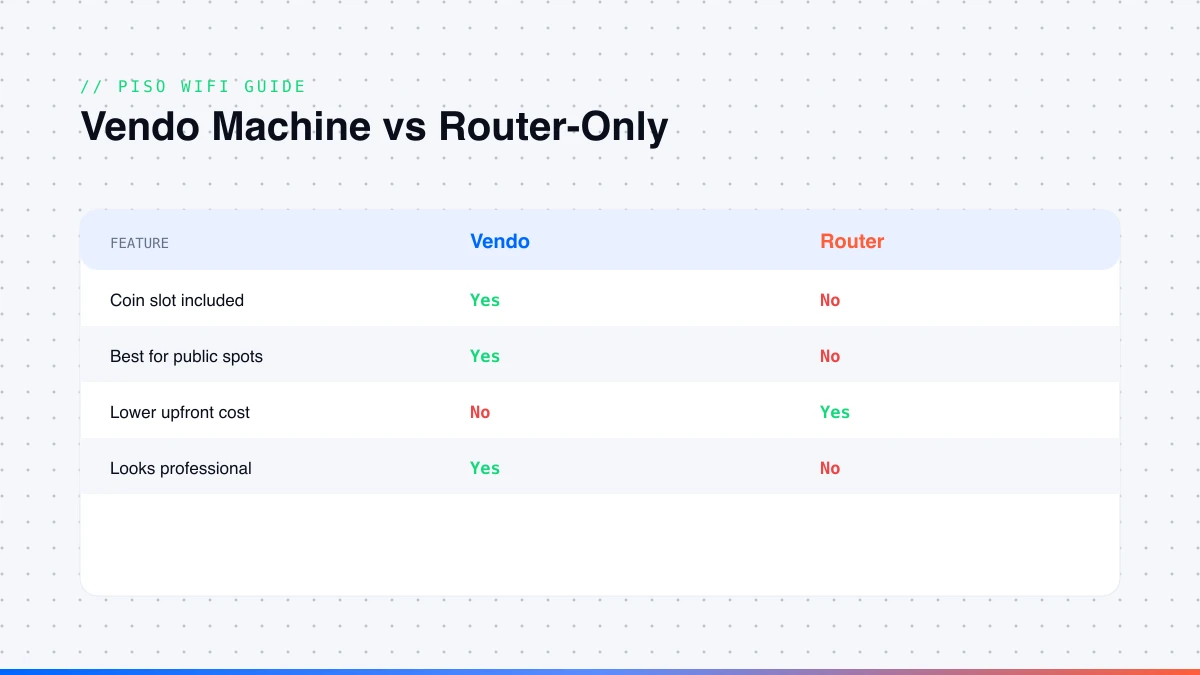
| Setup | Cost Range | Best For | Downside |
|---|---|---|---|
| Full vendo machine | ₱5,000–₱18,000 | Public, commercial locations | Higher upfront cost |
| Router-only setup | ₱1,500–₱4,000 | Home or household use, testing | No physical coin slot |
| DIY build | ₱3,000–₱8,000 | Tech-savvy operators wanting control | Requires assembly |
A full vendo machine is more secure, looks professional, and is harder to tamper with. A router-only setup is cheaper but has no coin mechanism, so you manage payments separately. For public spots, a proper vendo machine makes more sense.
Best Piso WiFi Vendo Machine Options in 2026
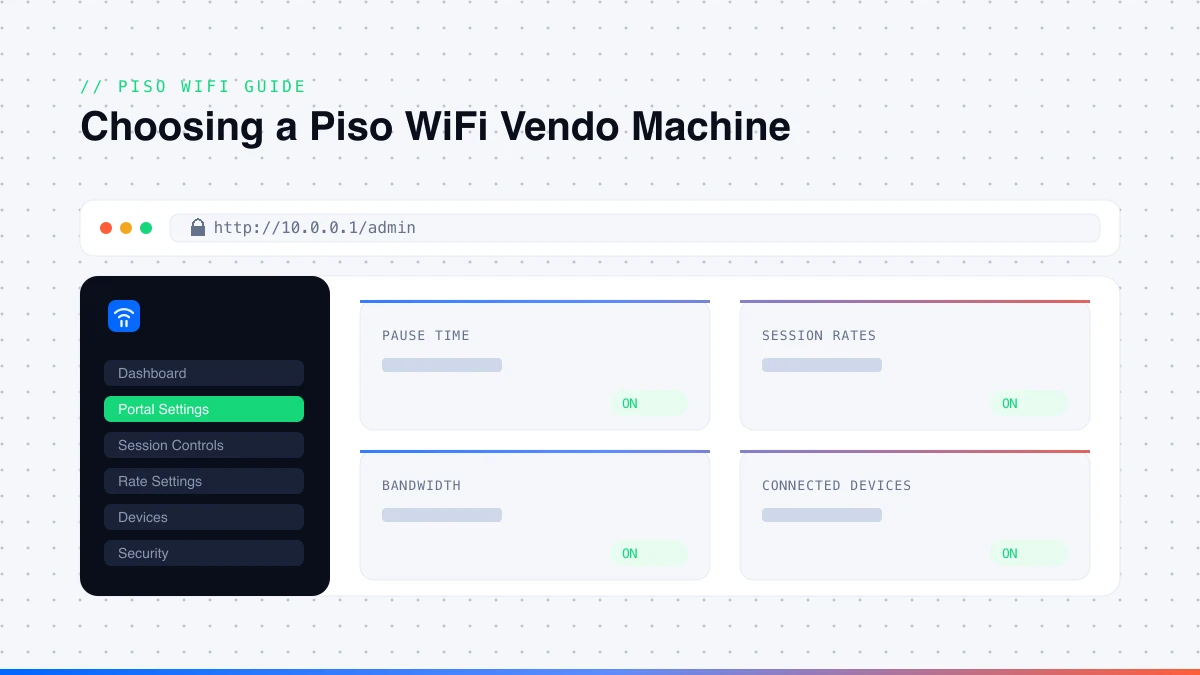
Ready-made plug-and-play machines are the most popular for first-timers — fully assembled, insert your SIM or LAN cable, power on, and set rates. Prices run ₱5,000 to ₱18,000 depending on build quality, included router, and antenna. Before buying, check: lifetime license vs annual subscription, whether a dual-band router is included, maximum concurrent users (look for 50+, better units handle 100–200), warranty (one year on parts is standard), support, and pre-installed firmware (ADO Piso WiFi, LPB, or Wifizone).
DIY kits give more control at lower cost — you assemble the components and flash firmware onto the SD card. Raspberry Pi-based kits are the most stable under load; Orange Pi-based kits are cheaper and still reliable. Both work with ADO Piso WiFi software and LPB firmware. The tradeoff is a few hours of assembly and configuration.
How to Calibrate a Piso WiFi Vendo Machine
Coin slot calibration is one of the most common operator issues. If your machine rejects valid coins, gives wrong credits, or accepts foreign objects, it is almost always calibration.
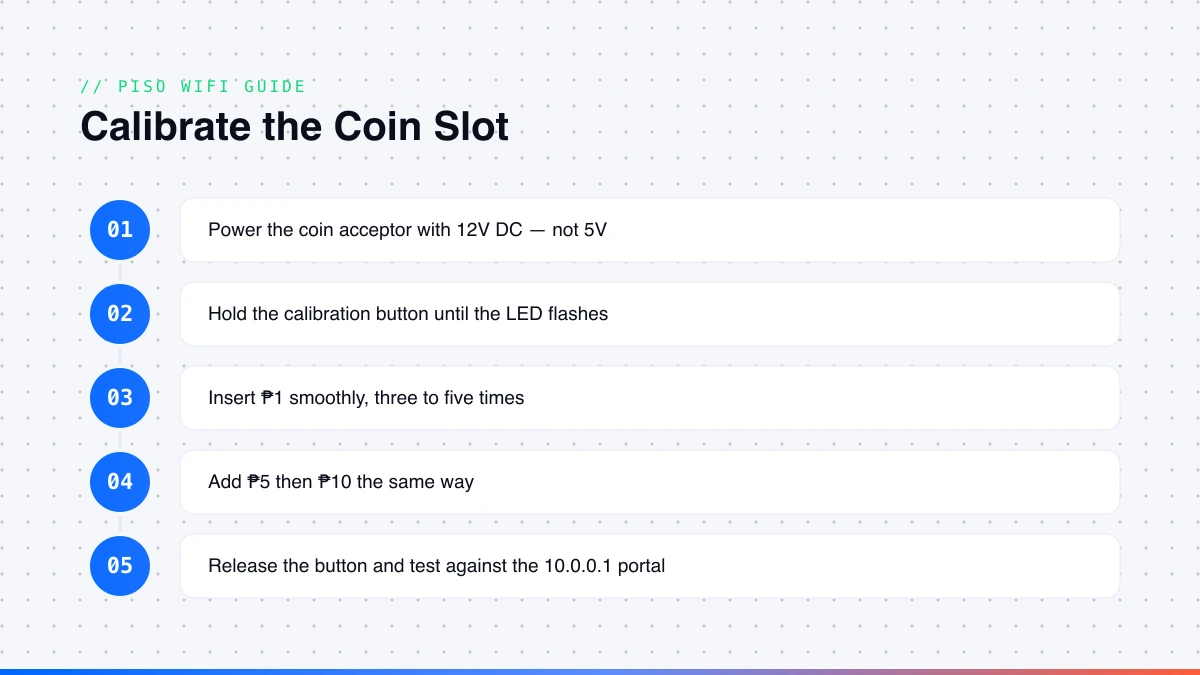
Most machines use a CH-923 or JY-926 universal multi-coin acceptor. These recognise up to six coin types but must physically learn each coin's size, weight, and material. Out of the box, many are calibrated for another country's coins and will not correctly read Philippine ₱1, ₱5, or ₱10.
- Power the coin acceptor with a 12V DC source — it will not work on 5V.
- Locate the small recessed calibration button.
- Press and hold it until the LED flashes (learning mode).
- Insert
₱1smoothly, three to five times, so the sensor gets a reliable reading. - Insert
₱5then₱10the same way without releasing the button. - Release the button — the unit saves the coin profiles.
- Test with real coins and open
10.0.0.1to confirm the correct credit.
| Problem | Likely Cause | Fix |
|---|---|---|
| Coin rejected after calibration | Profile not fully learned | Redo calibration, insert each coin slower and more times |
| Wrong credit amount given | Profiles overlapping in memory | Reset coin memory and calibrate from scratch |
| Coin slot not responding | Wrong power supply voltage | Confirm 12V DC; check wiring |
| Intermittent rejection | Dust on the infrared sensor | Blow out the slot with compressed air |
| Coin accepted but no portal credit | Signal pin wiring issue | Check the signal wire to the GPIO pin |
If the slot still fails after two full calibration attempts, the sensor is likely faulty. Replacement coin acceptors cost ₱350 to ₱700 at most electronics shops.
Frequently Asked Questions
What is a Piso WiFi vendo machine?
A coin-operated WiFi hotspot machine. Users insert coins to get timed internet access.
Do I need an NTC permit to operate a Piso WiFi vendo?
Single-machine operators often handle only local permits — DTI registration, barangay clearance, mayor's permit, and BIR registration. Multi-machine commercial operators fall under the NTC's VAS provider classification and must register with the Regulation Branch.
How do I pause time on a Piso WiFi vendo machine?
Connect to the Piso WiFi network, open your browser, and go to 10.0.0.1. The user portal loads — tap Pause Time to stop your timer, and Resume Time to continue. See our pause time guide for details.
How do I calibrate a Piso WiFi vendo machine coin slot?
Power the coin acceptor at 12V DC, hold the calibration button until the LED flashes, insert each coin type slowly three to five times, then release the button.
Can I make Piso WiFi without a vendo machine?
Yes. You need a Raspberry Pi or Orange Pi, a coin slot module, a router, and firmware like ADO Piso WiFi — you just skip the physical enclosure.
How much do Piso WiFi vendo machines earn per month?
A single machine in a good location typically earns ₱3,000 to ₱10,000 per month. Multi-machine operators can earn significantly more.
About the author
Piso WiFi Guide Team
The Piso WiFi Guide Team documents how the 10.0.0.1 portal and admin panel behave across LPB, AdoPiSoft, JuanFi and other firmware, for both users and operators.
Related guides
20.0.0.1 Admin Login: Easy Access & Setup Guide
Open 20.0.0.1 the right way. Log in, change your WiFi name and password, set up a captive portal, and fix login errors — simple steps for 2026.
Read guide →
10.5.50.1 Login: Pause Time, WiFi Control & Admin
Log in to 10.5.50.1 the easy way. Pause and resume your session, change your WiFi name and password, and fix login errors fast — simple 2026 guide.
Read guide →
10.0.0.1 Admin Login: Settings, Passwords & Pause Time
Log in to 10.0.0.1 in minutes. Change your WiFi name and password, turn on Piso WiFi pause time, and fix common login errors — easy step-by-step guide.
Read guide →